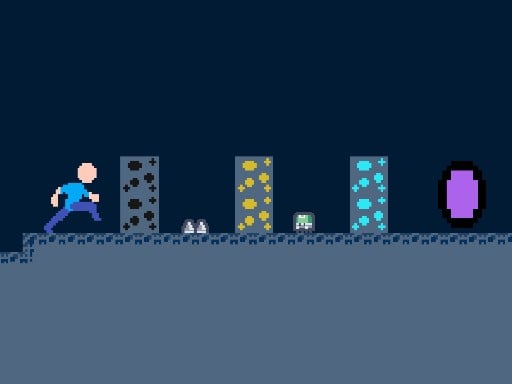
Dungeon Adventures
6,662
Join Steve on his adventure to escape from the dungeons. Help him locate valuable resources like coal, gold, and diamond mines which are essential for activating the portal. Be cautious of the dangers lurking around, including thorny bushes and poisonous insects. To collect these resources, hover over each mine, wait for a moment, and then add them to your inventory.
Recommended Games
View All
4.3
SnowBall Adventure
Use the right arrow key to advance your character forward in the game. Press the left arrow key to move your character backward. Tap the spacebar to make your character jump, allowing you to clear obstacles or reach higher platforms.
3,874

4.8
Spider Jump
Click or tap the screen to interact and progress through the game. Use these inputs to respond to in-game prompts and solve challenges.
6,161

4.1
Grimace Monster Dop Story
Click or tap on the screen to interact with the game elements. Use these inputs to progress through levels or achieve objectives as directed by the in-game instructions.
5,571

4.7
Free Fly
Tap the screen to make the bee soar upwards. Avoid clouds and obstacles by skillfully navigating. Collect honeycombs to boost your score. Stay aloft for as long as possible while gathering honeycombs for high scores.
7,394

4.7
Match Hit
In mouse touch gameplay, players navigate using simple gestures on their device's screen. Tapping initiates actions, dragging moves characters or objects, and swiping can change directions or activate abilities. This intuitive design ensures accessibility, allowing users to focus on strategy and enjoyment rather than complex controls.
7,300
4.3
Leader Follow
Click or tap the screen to interact and play
4,498

4.3
MultiplArrow
Click or tap the screen to interact and progress in the game.
4,392

4.3
Merge Racer Stunts Car
Click or tap the screen to interact and progress through the game. Use these inputs to respond to in-game prompts and navigate challenges.
5,933
4.4
Avoid the Sharks
In this game, control your swimmer by touching the screen to move left or right, avoiding approaching sharks. On desktops, utilize the mouse to direct your swimmer's movements, swiftly shifting left and right to dodge the hungry sharks.
5,760

4.9
Minecraft Blockman Go
Click or tap on the screen to interact with the game elements. Use these inputs to navigate, select options, or trigger actions as indicated by the in-game prompts.
7,247

4.7
Farmers Island
Click or tap the screen to interact and progress through the game. Use these inputs to respond to in-game prompts, solve puzzles, and engage with the environment for an immersive experience.
5,421

4.6
Brothers are making a cake
Press S or Down Arrow to push opponents. Accumulate the highest points within 120 seconds to win. Navigate using WASD or Arrow keys.
5,836

4.1
Twerk Rush
Click or tap the screen to interact and progress through the game. Use these inputs to respond to in-game prompts and solve challenges.
6,033

4.3
Halloween crosswords HTML5
Click or tap on the screen to interact and play.
7,953

4.7
Melodys Adventure 2
Navigate using arrow keys for left, right, up, down movements or utilize W for up, A for left, D for right controls.
5,749
4.8
Catch Him
Click or tap the screen to interact and progress through the game. Use these inputs to trigger events, select options, and control actions within the game environment.
7,641

4.7
FLEET BLAST
Use MOUSE for Controls Drag fleets with the mouse and place them on the board. Click on grid positions to blast fleets.
4,017

4.8
Skate Boy
Click or tap on the screen to interact and play.
6,385
4.6
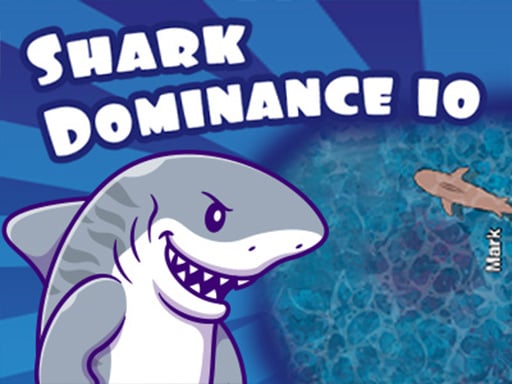
Shark Dominance io
PC players control movement using the mouse for speed and the 'D' key for direction. On mobile, touch controls are used for both speed and directional movement with a secondary touch for additional actions.
5,413
4.9
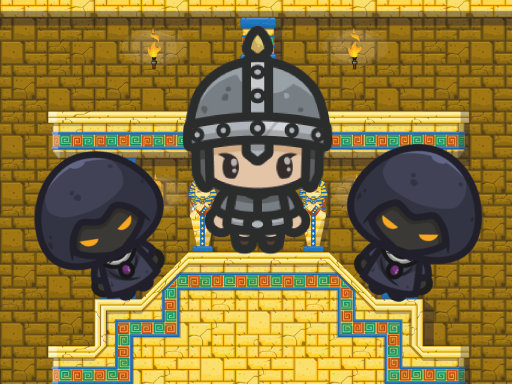
King of Majesty
Control Desktop Click the left mouse button to jump, propelling your character upward. Mobile Tap the screen to jump, making your character leap into the air.
7,911