Discover Amazing Games
Explore our collection of free online games and start playing instantly
Popular Games


Newest Games
4.4
Pop It 3D Fidget Toy Maker
Click or tap the screen to interact and progress through the game.
6,249
4.5
Sprunki Incredibox Only Up
Use WASD keys to move your character around in the game world. Press the space bar to make your character jump. Explore and navigate through different levels by combining these movements to overcome obstacles and reach your goals.
5,109
4.0
Desert Jump
Click or tap the screen to interact and progress through the game. Use these inputs to trigger actions, solve puzzles, and navigate challenges.
3,389
4.3
Stickman Shooter Bros
Navigate using WASD or arrow keys for movement.
3,804

5.0
Aqua Dogy
Collect all badges to activate the Black Hole featurePlayable on desktop and mobile platformsJump using the W key or the Arrow up key
4,431
4.2
Escape The TEMPLE
Player 1 uses WASD keys for movement, while Player 2 uses arrow keys. Both players can press E to open valves or move boxes. On mobile, touch controls are used.
3,011
4.4
Soccer Clicker Game
Click or tap on the screen to interact and play.
7,007
4.7
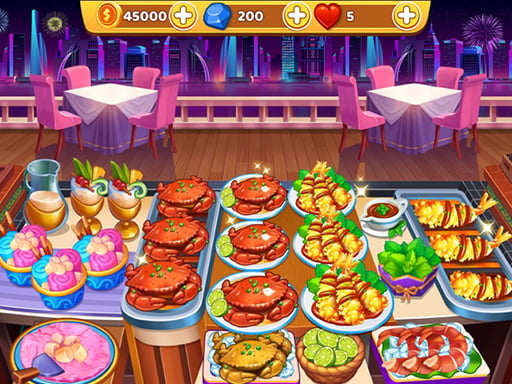
Cooking Trendy
Delight customers by preparing meals perfectly. Upgrade your restaurant and kitchen appliances using earned gold post-levels. Unlock new, delicious ingredients and condiments. Learn business and quality service skills through cooking challenges.
3,837

4.8
My Perfect Weekend Outfits
Clicking the left mouse button performs the primary action in the game, such as selecting items, attacking enemies, or interacting with objects in the environment.
5,305

4.3
The Crazy Dentist wojak game
Click or tap the screen to interact and play.
5,156
4.1
Grimace Shake Puzzle
Drag images to their correct positions using mouse clicks or taps to play.
4,064

4.0
Math challenge online
Use arrow keys to navigate your character. Move left with left arrow, right with right arrow. Adjust direction accordingly to explore or avoid obstacles.
3,452

4.4
Sprunki in Squid Game Chamber
WASD controls the movement of the character, allowing players to navigate through various levels and environments. W moves the character forward, S moves the character backward, A turns the character left, and D turns the character right, providing flexibility in exploration and interaction within the game world.
6,019

4.2
Nextbot Run Away
WASD controls character movement. Pressing Space makes the character jump. Use TAB to toggle mouse visibility for aiming or exploring. Press Q to open the sandbox menu for customization or accessing tools.
5,973

4.1
Euro Freekick Frenzy
Press SPACE to aim at targets. Release SPACE to shoot. Holding SPACE longer charges the shot for greater power. Avoid obstacles while aiming for accuracy.
4,214
4.9
Grimace Bullet Blender
Click or tap the screen to interact and progress in the game.
7,082
4.5
Stick Man Battle Fighting
Click or tap the screen to interact and progress through the game. Use these inputs to trigger actions, solve puzzles, and navigate challenges.
7,119

4.1
Bitcoin Mining Simulator X
Click digital currency icons to accumulate wealth in this simple earning game. Each click increases your virtual wallet balance, offering an accessible way to understand digital currency interactions and accumulation.
3,986

4.6
Realistic Lion Hunting Animal 2024
WASD controls movement left and right. Shift enables running. Right-click stops running. Left-click initiates an attack.
4,243

4.4
Bubblehead Ball
Use A and D to move left or right, W to jump, and J and K to take shots. To enhance understanding, imagine you're controlling a character in a side-scrolling environment. Press A to move left, D to move right, and W to leap over obstacles or reach higher ground. J fires your primary weapon, while K activates a secondary action, such as an alternate fire mode or a special ability. This setup allows fluid movement and strategic shooting in the game.
4,726
4.6
Grimace Ball Jumpling
Click or tap the screen to interact and advance in the game. Use these inputs to respond to in-game prompts or navigate through levels.
3,000

4.8
ULTIMATE STUNT CAR CHALLENGE
It is played using Arrow Keys on your keyboard. Move forward with the UP ARROW, go back with the DOWN ARROW. Use the RIGHT and LEFT ARROW keys to maintain balance.
7,150

4.9
Sweet Cotton Candy Maker
Touch the screen to start playing and interact with the game elements. Each tap can control character actions or trigger events on the screen, making the gameplay intuitive and responsive to your touch. Explore different tapping strategies to master the game.
6,280
4.7
Blocky Universe
click to start your adventure explore the interactive world by clicking on various elements to trigger events and progress through levels interact with characters by clicking on them to engage in dialogue or complete tasks solve puzzles by identifying clickable objects that help you overcome challenges navigate through different scenes by clicking on portals or exits to travel within the game environment collect items by clicking on them to add to your inventory use collected items by clicking on obstacles or specific areas requiring those items to proceed
4,246

4.9
Bbq Stack Run
Click or tap the screen to interact and progress through the game. Use these inputs to respond to in-game prompts, solve puzzles, or navigate levels. Engage with characters and objects by simply clicking or tapping for an intuitive gaming experience.
3,930
4.6
Ice is coming
Slide the ice cube to the target area by tapping it. Avoid obstacles and collect stars for bonus points.
4,062

4.9
Rolling Balls.io
Click or tap on the screen to interact with the game elements. Each click or tap will trigger actions within the game, such as selecting items, making characters move, or responding to in-game prompts. Use these interactions to progress through levels and achieve objectives.
5,410
4.6
Friends Battle Gunwars
The red team uses WASD keys for movement while the blue team utilizes arrow keys. Players from opposing teams aim to avoid each other as contact results in a hit. Accumulating twenty hits leads to losing the game.
5,522

4.8
BFFs Grunge Minimalist Fashion
Left Mouse Button Click or Tap to interact with the game elements, triggering actions or selecting options to progress.
6,668
4.1
Badugi Card Game
Preparation involves clicking or touching the screen. Should you run out of chips, you can recharge with free ones. Once prepared, move forward. In Channel Rooms, choose from five types available. Select your room.
5,069

4.7
Idle Restaurant Tale
Gameplay involves tapping machines and foods to progress through levels, making it straightforward and accessible for all players.
5,423
4.1
Hard Room Cube
Use arrow keys to move the cube in Hard Room Cube. Press space to jump. Navigate through the room, avoiding laser beams and obstacles strategically placed for a challenging experience.
6,567

4.1
The Specimen Zero
Navigate through chambers and rooms by finding keys for doors, gathering ammo and weapons. Avoid monsters as you progress. Use WASD to move, spacebar to jump, F to interact, R to reload, and Esc for menu.
3,298

4.6
BFFs Act Circus Artist
Use mouse for all interactions including movement, selecting items, and interacting with environment elements.
3,309
4.9
Far Orion
Click or tap the screen to interact and progress in the game.
6,438

4.2
Fruit Bounce
Swipe your mouse or touch the screen to control the game. Each swipe directs the character's movement accordingly, guiding them through levels or challenges.
7,607
4.0
Whack e m All
Tap or click on the screen to hit moles as they appear. Earn points for each mole you hit. Avoid missing or hitting the wrong targets to maximize your score.
3,475
4.8
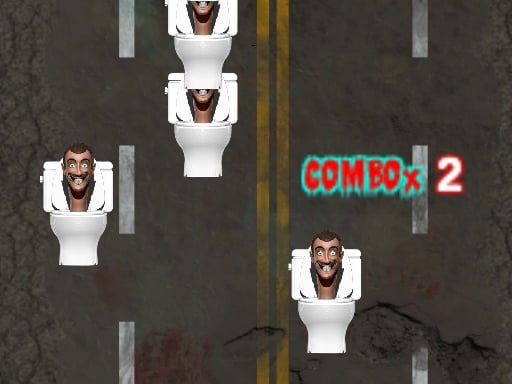
Skibidi Pop
Click or tap on the screen to interact and progress in the game.
7,169
4.7
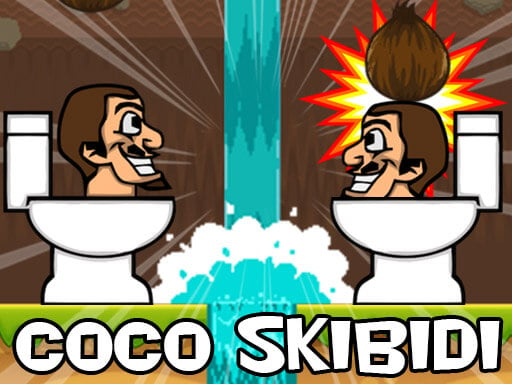
Coco Skibidi
Click or tap the screen to interact and progress through the game. Use these inputs to trigger actions, select options, and navigate challenges.
6,823

4.5
Pinball Football Champion
Click to pass the ball, then click again to aim and shoot directly into the goal for a score.
5,580

4.1
BFFs Black Friday Collection
To begin playing, simply click the left mouse button or tap the screen. This action initiates your interaction within the game, allowing you to start or proceed with the gameplay elements as intended by the developers.
6,971
5.0
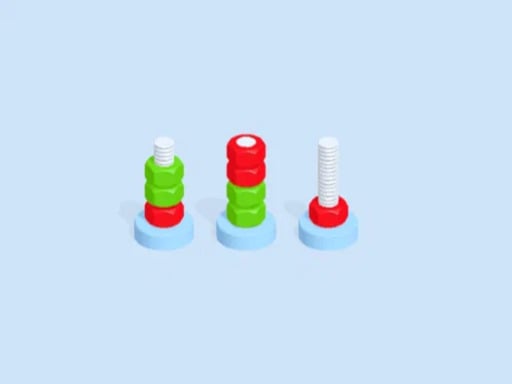
Nut And Bolt
Your task involves matching bolts by their color and inserting them into corresponding nuts. Each bolt features a distinct color coding, requiring precise placement within the correct nut. When all similarly colored bolts are correctly positioned, the puzzle is completed. Should you encounter difficulty, consider rotating or reevaluating the color matches for each nut.
3,804

4.9
Tank Soccer Battle 1 2 3 4 Player
Green Tank controls involve using WASD for movement and Q to shoot. For Blue Tank, navigate with Arrow Keys and use P to fire. Yellow Tank players should employ UHJK for movement and M to shoot. Lastly, Red Tank uses FCVB for moving around and N to fire.
7,317
4.3
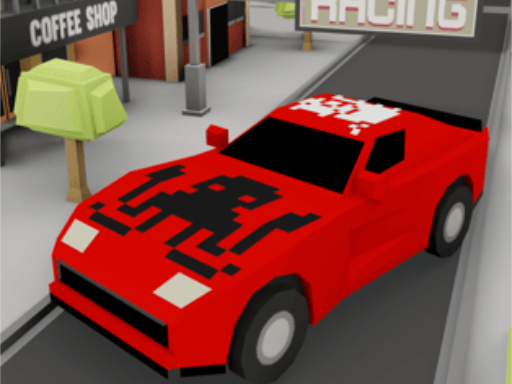
TT Racing Game
Click or tap the screen to interact and progress in the game. Use these inputs to respond to prompts, solve puzzles, and navigate through levels.
4,774
4.0
Skibidi Artist
Click or tap on the screen to interact and play.
3,489

4.6
Speedy Bartender
Mobile Touch and PC Mouse gameplay offers versatile control options tailored for different devices. For mobile users, touch controls provide intuitive navigation through swipe and tap gestures, enhancing accessibility and ease of use. On PCs, mouse controls offer precision and speed, allowing players to aim accurately and execute complex maneuvers effortlessly. Both modes are designed to ensure an engaging gaming experience, adapting to the strengths of each device for optimal performance and enjoyment.
7,119

4.4
Halloween Merge
Desktop: Select items by clicking, drag to merge. Mobile: Tap and hold an item, drag and drop onto another to merge.
4,506

4.8
Fighter Legends Duo
Players control their characters using keyboard inputs. Player 1 uses WASD for movement and F for punch, G for kick, and H for special move. Player 2 utilizes arrow keys for movement, K for punch, L for kick, and J for special move. Both players aim to defeat each other through strategic use of punches, kicks, and special moves while dodging or blocking attacks.
3,444
4.4
Kingdom of Toilets
Navigate using WASD or arrow keys, swipe for mobile controls. Double jumps enhance maneuverability, allowing players to reach higher platforms or dodge obstacles more effectively.
7,806

4.6
Makeup Kit DIY Dress Up
Mouse click or tap to play. Use your mouse to follow on-screen instructions for completing cooking steps and decorating banana splits.
3,629

4.6
CapsuleMatch
Click the Play button to start. Tap the left side or press E for the left player. Tap the right side or press O for the right player. Score by guiding the ball into your opponent's goal.
3,916
4.1
Cube Adventure
Movement in the game is controlled using W, A, S, D keys on PC or arrow keys. For mobile users, intuitive touch controls are provided, allowing players to simply swipe in the desired direction to move their character. This setup ensures accessibility across different devices, enhancing user experience and ease of navigation within the game environment.
3,949
4.8
Freddys Return Village Escape
Mouse to look, W A S D to walk, left shift to run, C to crouch, space to jump, F to interact or hide, T to unhide, G to drop item. Use mouse for aiming and W A S D keys for moving around. Press left shift to sprint and C to lower your profile. Jump with space and interact with objects or hide by pressing F. To reappear from hiding, press T. Drop any held item using G.
5,098

4.9
Aquapark Balls Party
Player 1 uses A and D keys or left-right arrows to move. Player 2 uses left-right arrows to move.
6,029

4.8
Online Strike Assault
WASD controls movement, E activates Skill 2, Space allows jumping, T opens global chat, Y enables team chat, mouse is used for shooting, Shift for running, P pauses the game, G throws a grenade, R reloads the weapon, Q for crouching, and Tab shows the score.
5,468

4.7
Skibidi Toilet Soccer
Click or tap the screen to interact and progress through the game. Use these inputs to trigger actions, navigate levels, and engage with elements within the game environment.
6,487

4.1
Ratomilton Red Light Green Light
In mouse only gameplay, players navigate and interact with the game world exclusively using their computer mouse. This includes character movement, selecting items, interacting with objects, and issuing commands. Precise cursor control guides the player through challenges, emphasizing spatial awareness and quick reflexes. No keyboard input is required, simplifying accessibility for some users while demanding adeptness in mouse handling.
6,360

4.1
Santas Gifts
Use arrow keys on desktop or in-game arrows on tablets/phones for navigation.
5,686

4.0
Number Run 3D Casual Game
Click or tap the screen to interact and progress through the game.
6,793

4.4
Challenging Track
In this game, pressing W makes your character jump. A moves your character left, while D moves them right. Pressing S allows your character to bend over. For mobile users, simply touch the corresponding directions on the screen to perform these actions.
4,753
4.4
Little Dino Returns 2023
Whether you use arrow keys or touch buttons on your phone's screen, the gameplay remains smooth and responsive, ensuring an optimal experience across both desktop and mobile platforms.
6,088
4.9
Castle Crusade
Click or tap to aim and shoot arrows at incoming enemies. Select Upgrade by clicking on available upgrades to enhance your abilities. Earn coins to unlock Speed Fire and Bomb upgrades. Tap the bomb icon to drop bombs on enemies. Use the fire icon to launch arrows.
4,005
4.3
Messi vs Ronaldo KTT
Swipe to kick and hit blocks to progress, revealing your team's logo with each successful hit.
3,663

4.2
War Planes
In this gameplay, players engage in a series of challenges where they must align sequences of numbers. Each sequence represents a code that unlocks different levels. Players can manipulate the numbers by adding or removing digits, but each action comes with a risk, such as losing points or facing more complex codes in subsequent levels.
3,584

4.3
Bartender: The Right Mix
Click to select items from your inventory. Hold and drag to pour contents precisely where needed. Use long clicks to shake items for different effects or to mix substances.
7,678

4.3
Grimace Penalty
In this game, players can click or tap on the football to select it. For PC users, aim by clicking and for mobile users, tap and hold before swiping in the direction of the goal to shoot at the net.
4,170

5.0
Snow Rally
Drive through snowy mountains in this physics-based racing game. Take on challenging driving tasks in the most dangerous, inhospitable, and coldest places in the world. Prove you're the best racer on icy roads. Play for free and experience thrilling adventures.
3,100
5.0
Skibidi Attack
Tap or click to aim and shoot accurately at targets. Adjust your timing for different scoring opportunities.
3,983
4.9
Hero Bounce
Use touchscreen taps or keyboard inputs to command the player's actions, facilitating easy navigation and interaction within the game.
6,086

4.3
FLOORLAND CREATOR
In Analog mobile click button gameplay, players engage with a simple yet intuitive interface where they tap on screen icons or buttons that represent various actions. These taps control characters or mechanisms within the game environment, triggering movements, interactions, or other effects essential for progressing through levels or achieving objectives. The design emphasizes ease of use, allowing quick responses and strategic timing to overcome challenges or compete against opponents.
7,450
4.8
Car Ultimate Stunt Racer
Click or tap the screen to interact and progress through the game. Use these inputs to trigger actions, solve puzzles, and navigate challenges.
3,664

4.4
Zombie Attack: Defense
Navigate using A and D keys, move upwards with W or by pressing the spacebar. Left mouse button shoots, right mouse button drops a bomb, and Z activates a nuke.
6,899

4.1
Mini Games Casual Collection
Click or tap the screen to interact and play.
4,070

4.4
Real Pool 3D
Click or tap on the screen to interact and play. Use mouse clicks for desktops or touch taps for mobile devices to engage with the game elements and proceed through the levels or challenges.
7,427

4.5
Crowd Stack Race 3D
Slide your finger across the screen to control the character or action in the game. Smooth sliding can enhance speed or strength, while directional slides can navigate through levels or aim for targets. Experiment with different slide lengths and directions to master various game mechanics and challenges.
4,767
4.8
Tank Sniper 3D
Hold the button to aim carefully, then release to fire your shot.
4,637

4.8
Shaolin Soccer
Click or tap the screen to interact and progress through the game. Use these inputs to trigger events, solve puzzles, and navigate levels. Engage with the environment by selecting options or characters as prompted.
7,483
4.2
Sweet Doll Dressup Makeup
Click or tap the screen to interact and progress through the game.
7,055

4.4
Goal Arena 3D
Touch the screen or click with your mouse to interact and play.
4,114

4.2
Mini Steps
Desktop: Use WAD keys or arrow keys to jump. Mobile: Utilize on-screen controls provided in-game for jumping.
4,852

4.5
Halloween Hoops
Aim using either your finger on a touchscreen or a mouse, then release to fire at targets. Adjust aim for precision, aiming for accuracy over speed to hit targets effectively.
5,305
4.7
Steve and Alex Dungeons
Navigate using WASD keys for PC or arrow keys for alternative keyboard input. For mobile devices, touch controls are provided for easy maneuverability.
6,693

4.5
Block Numbers Puzzle
Click or tap on the screen to interact and progress through the game. Use these inputs to trigger actions, select options, and navigate challenges. Engage with the game's elements by simply pointing and clicking for an intuitive experience.
6,836

4.1
Baby Taylor Back To School
Click or tap on the screen to interact and play.
4,493

4.9
popaloon
Click or tap to play. Prevent balloons from escaping your screen to avoid taking damage. Earn points by keeping balloons contained. Challenge increases as more balloons appear simultaneously.
5,404

4.6
Ghost Fall
Tap the left side of the screen to move left and tap the right side to move right. On desktop, use the left arrow key to move left and the right arrow key to move right.
5,806
4.2
Horror City Minecraft Survive
Navigate the map swiftly to escape each level before Minecraft ghosts catch you. Use WASD for movement, spacebar to jump, mouse to control the camera angle, and F to interact with items crucial for your escape.
4,236

4.8
Home Defense Zombie Siege
Click or tap the screen to interact and progress through the game. Use these inputs to trigger actions, select options, and navigate challenges.
4,280
4.8
Food Slicer Food Cutting Game
Click or tap the screen to interact and progress through the game.
6,061

5.0
Bank Robbery Puzzle Shooter
Click or tap on the screen to interact and play.
4,465
4.3
Sprunki Rage Stickman Incredibox
Arrow keys control movement, space makes you jump, Z and X are for attacking, C is for defending.
7,472

4.4
Fat OR Thin
Click or tap on the screen to interact and play.
3,008

4.1
Little Princesss Fashion
Click or tap to play Use the mouse to complete cooking steps and decorate banana splits
4,105
4.9
Mad Shark Fish
for mobile users simply tap and swipe the screen for intuitive control pc users can navigate using mouse clicks and movements for seamless interaction
7,405

4.5
Jump Race
In Mouse, players take on the role of tiny mice navigating through a cheese-filled maze. Each player controls a mouse with distinct abilities, moving around strategically to gather as much cheese as possible. Cheese pieces scattered throughout the maze are collected by landing on their spaces. However, lurking dangers include larger animal tokens that can block paths or capture mice if they land on the same space. Captured mice must leave the game temporarily, returning once another player lands on a rescue spot. The objective is to accumulate the most cheese by the end of the game, combining luck from dice rolls with strategic movement to avoid predators and maximize cheese collection.
4,840
4.4
GrowWars.io
In this game, Player 1 uses W A S D for movement and F for attack, with G enabling a dash. Player 2 navigates using arrow keys, attacks with K, and dashes using L. Both players can move around the game area, engage in combat by attacking, and gain speed boosts through dashing to evade or close distance quickly.
3,170

4.8
Gorilla Multiplayer
On PC, use arrow keys for gorilla movement, mouse for camera control and aiming. On Mobile, use on-screen joystick to move, tap jump button to leap.
3,695
4.4
Stickman Merge Battle: Arena
Click the Sword and Arrow button to buy units, then use the Tile button for tiles. Drag units across tiles to enhance your strategy. Combine identical units to upgrade them.
7,568

4.3
Pixel Ball League
Keyboard You can control the blue character using the W key for movement. For the red character, use the up arrow key to move. On mobile devices, simply tap the blue and red on-screen keys to move their respective characters.
7,360

4.4
Mega Cube 4096
Throw cubes by swiping your hand over the screen to drag and drop them into place or at targets.
7,420